
Benefits of switching to eSIM
Thanks to innovative mobile technology, you can use an eSIM to access a mobile network, without a physical SIM card. Activate the eSIM on your chosen device instantly and connect from anywhere. With Ooredoo, you are assured a seamless and effortless experience.
Multiple Phone Numbers
Accommodate multiple phone numbers on a single device
No More Swapping
Forget the hassle of switching SIM cards when you travel.
Enhanced security
eSIM offers improved protection for mobile number. Be secure. 
Instant Access
Purchase and activate your eSIM instantly
Instant
connectivity
Multiple Devices

Online Activation

Fully


secure

No damage


or loss
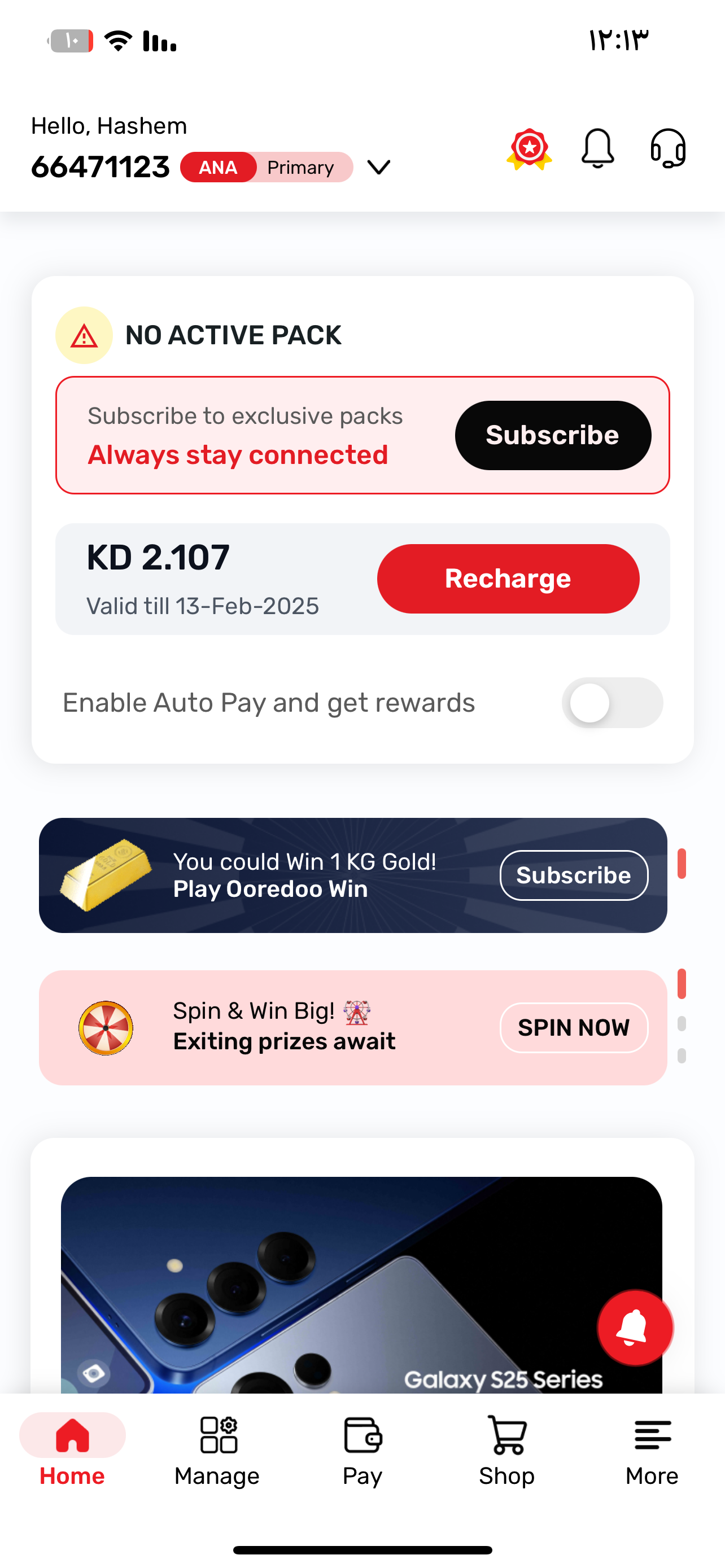
How to activate eSIM?
Now convert your existing physical SIM to eSIM or transfer your Ooredoo eSIM from one device to another via

Step 1

Open Ooredoo App

Step 2

Choose the mobile number you want to switch from physical SIM to eSIM

Step 3

Manage your SIM Cards

Step 4

Authenticate your identity through Kuwait Mobile ID App

Step 5

Authentication successful and transaction complete

Step 6

Save a copy of your eSIM QR code by dowloading it via Ooredoo App

Step 1

Open Ooredoo App

Step 2

Choose the mobile number you want to switch from physical SIM to eSIM

Step 3

Manage your SIM Cards

Step 4

Authenticate your identity through Kuwait Mobile ID App

Step 5

Authentication successful and transaction complete

Step 6

Save a copy of your eSIM QR code by dowloading it via Ooredoo App

Step 1

Open Ooredoo App

Step 2

Choose the mobile number you want to switch from physical SIM to eSIM

Step 3

Manage your SIM Cards

Step 4

Authenticate your identity through Kuwait Mobile ID App

Step 5

Authentication successful and transaction complete

Step 6

Save a copy of your eSIM QR code by dowloading it via Ooredoo App

Step 1

Open Ooredoo App

Step 2

Choose the mobile number you want to switch from physical SIM to eSIM

Step 3

Manage your SIM Cards

Step 4

Authenticate your identity through Kuwait Mobile ID App

Step 5

Authentication successful and transaction complete

Step 6

Save a copy of your eSIM QR code by dowloading it via Ooredoo App

How to activate eSIM?
Now convert your existing physical SIM to eSIM or transfer your Ooredoo eSIM from one device to another via

Step 1

Open Ooredoo App

Step 2

Choose the mobile number you want to switch from physical SIM to eSIM

Step 3

Manage your SIM Cards

Step 4

Authenticate your identity through Kuwait Mobile ID App

Step 5

Authentication successful and transaction complete

Step 6

Save a copy of your eSIM QR code by dowloading it via Ooredoo App

Step 1

Open Ooredoo App

Step 2

Choose the mobile number you want to switch from physical SIM to eSIM

Step 3

Manage your SIM Cards

Step 4

Authenticate your identity through Kuwait Mobile ID App

Step 5

Authentication successful and transaction complete

Step 6

Save a copy of your eSIM QR code by dowloading it via Ooredoo App

Step 1

Open Ooredoo App

Step 2

Choose the mobile number you want to switch from physical SIM to eSIM

Step 3

Manage your SIM Cards

Step 4

Authenticate your identity through Kuwait Mobile ID App

Step 5

Authentication successful and transaction complete

Step 6

Save a copy of your eSIM QR code by dowloading it via Ooredoo App

Step 1

Open Ooredoo App

Step 2

Choose the mobile number you want to switch from physical SIM to eSIM

Step 3

Manage your SIM Cards

Step 4

Authenticate your identity through Kuwait Mobile ID App

Step 5

Authentication successful and transaction complete

Step 6

Save a copy of your eSIM QR code by dowloading it via Ooredoo App

Transfer Your SIM or eSIM to Your New iPhone

Transfer a physical SIM or eSIM on your previous iPhone to an eSIM on your new iPhone

Convert a physical SIM to an eSIM on the same iPhone

Setup eSIM on Smartphone

How to set up an eSIM on iPhone
Steps >

How to set up an eSIM on Android

Steps >
How to set up an eSIM on Apple Watch
Steps >
How it works
Getting started with Ooredoo eSIM is simple. Activate online now in 10 seconds! 
Choose your preferred plan (Prepaid or Postpaid)
Complete the Kuwait Mobile ID verification digitally in 10 seconds
Receive eSIM QR code on your verified email address for activation
Make sure you are connected to a WiFi network & scan the QR code
Awesome! Your eSIM will be now active
Convert your current Ooredoo number to eSIM.
Keep your number and switch to eSIM—it’s quick and easy to do!
Follow the steps below:
Login to Ooredoo app
Go to eSIM section
Select number to convert to eSIM
Enter OTP, complete Kuwait Mobile ID verification
Approve your request on the call you will receive instantly 
Check your verified email address for the eSIM QR code
Connect to Wifi, Scan the QR code to activate the eSIM instantly 
Check out the surprises
Enjoy amazing offers and exclusive deals, just the way you like it
Switch to eSIM
Move your physical SIM to eSIM in just few steps
Buy a new eSIM ?
Get a new eSIM in 10 seconds with FREE activation
 

Chat to us

For further help to get eSIM, contact us anytime
Mobile App
Mobile App
Card 1 Image

Get ready for a SIM-less future Get ready

Get the latest devices with less and special price NOWGet the latest devices with less and special price NOW

Card 2 Image

Get ready for a SIM-less future Get ready

Get the latest devices with less and special price NOWGet the latest devices with less and special price NOW

Card 3 Image

Get ready for a SIM-less future Get ready

Get the latest devices with less and special price NOWGet the latest devices with less and special price NOW

Frequently Asked Questions
What is esim?

An eSIM is the equivalent of a digital or electronic version of your physical SIM. This feature allows you to store several SIM cards on your phone without having to physically carry the SIM cards. The eSIM is embedded in your phone.

Which devices are compatible with eSIM?

From iPhone XS onwards, with iOS 12.1 version or later.
Apple Watch Series 3 Cellular onwards.
Samsung Galaxy S20 onwards.
If your device is not listed above, check on the device manufacture website.

How many eSIM can I have on my device?

Multiple eSIMs will be supported on the device, however only one can be connected to the network at a time. You can also check on device capabilities.

How to change my existing Ooredoo SIM to eSIM?

Activation of eSIM from Ooredoo App is very easy and can be done at your convenience from home anytime.

I already have eSIM, how do transfer my eSIM to new device?

You can easily reissue a new eSIM for the device from Ooredoo App.

Need Guidance?

We’d love to help you

Mobile App
Mobile App